Your tiny kitchen co-pilot

Use what you have.
Love what you cook.

Pixel Fridge turns one grocery photo into an organized, editable fridge—then helps you notice what needs attention and decide what to cook next.

Explore the fridge iPhone launch in progress
Hi, I’m Fridggi! I’ll help you remember what’s waiting inside.
Fridggi, a smiling mint-green pixel-art fridge holding a flower
01

Snap once. Start with a grocery photo instead of typing a long list.

02

Review first. You confirm the AI’s suggestions before saving them.

03

Choose next. See what needs attention and turn it into a meal idea.

From grocery bag to a better habit

A calmer way to keep up with your fridge.

Four connected moments do the heavy lifting. As you move through them, the app preview changes with the story.

01Scan

One photo becomes a tidy checklist.

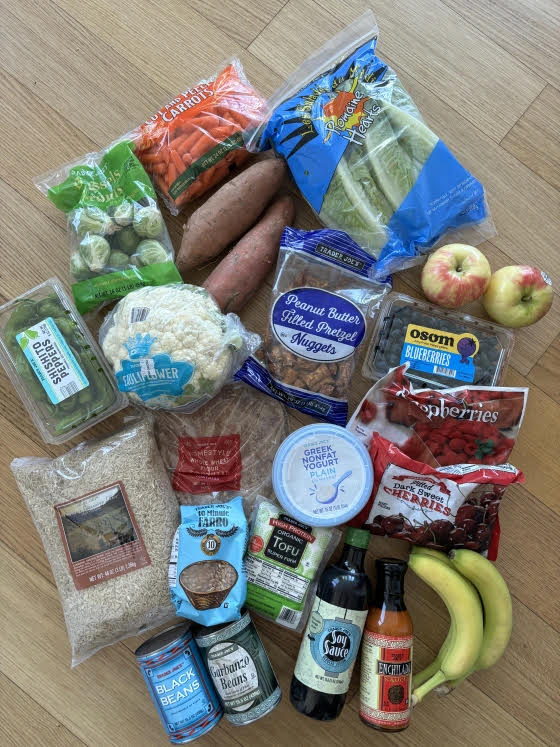
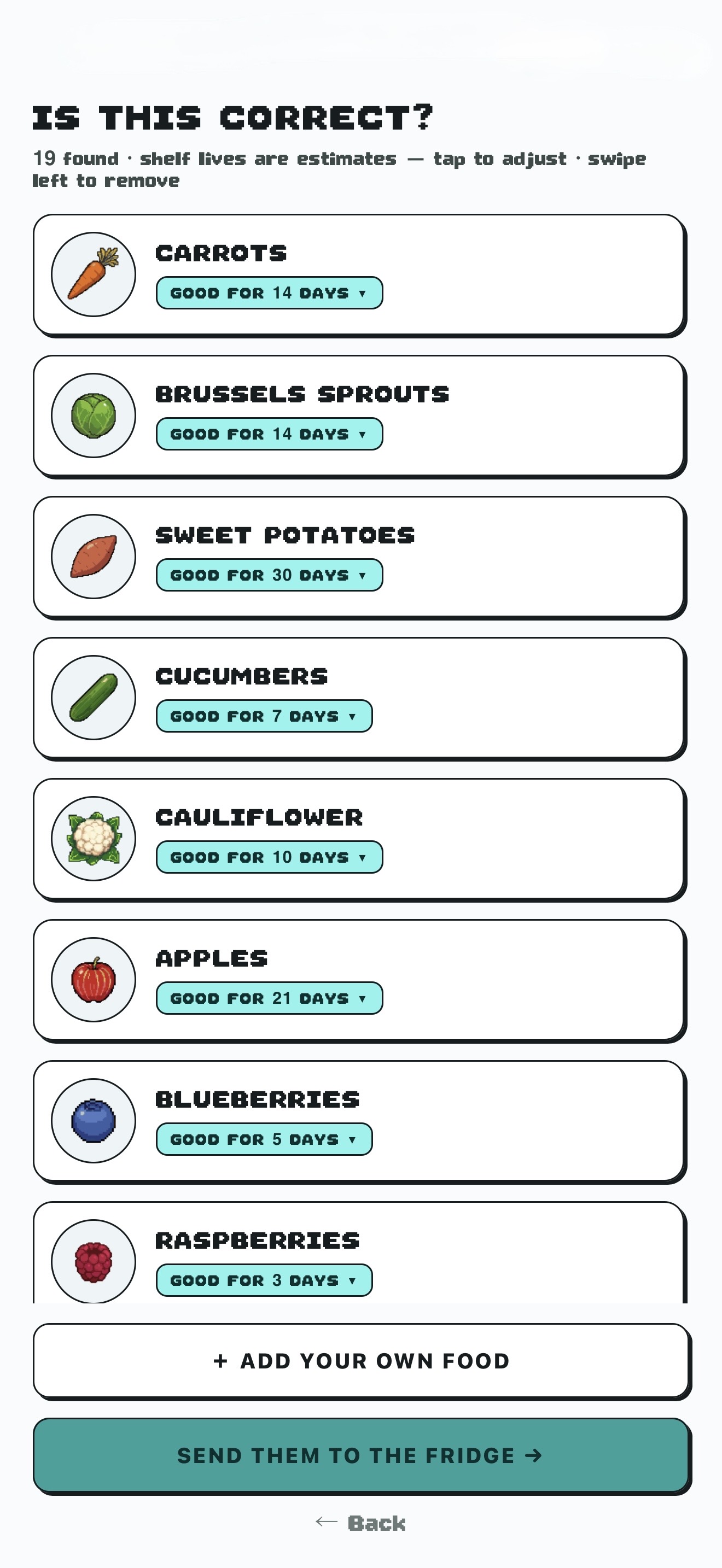
This example starts with one real grocery photo. Pixel Fridge recognized 19 likely items and organized them into an editable checklist. You confirm the names and estimated best-quality dates before anything is saved.

  • Turn a mixed grocery haul into clear rows
  • Adjust the suggested date
  • Add anything the photo missed
A real grocery photo with produce, fruit, tofu, yogurt, beans, and pantry items Pixel Fridge checklist organizing 19 recognized groceries into editable rows with estimated best-quality dates 1 photo 19 organized items
The input and result together: one grocery photo becomes a reviewable list.
02Track

See what deserves attention first.

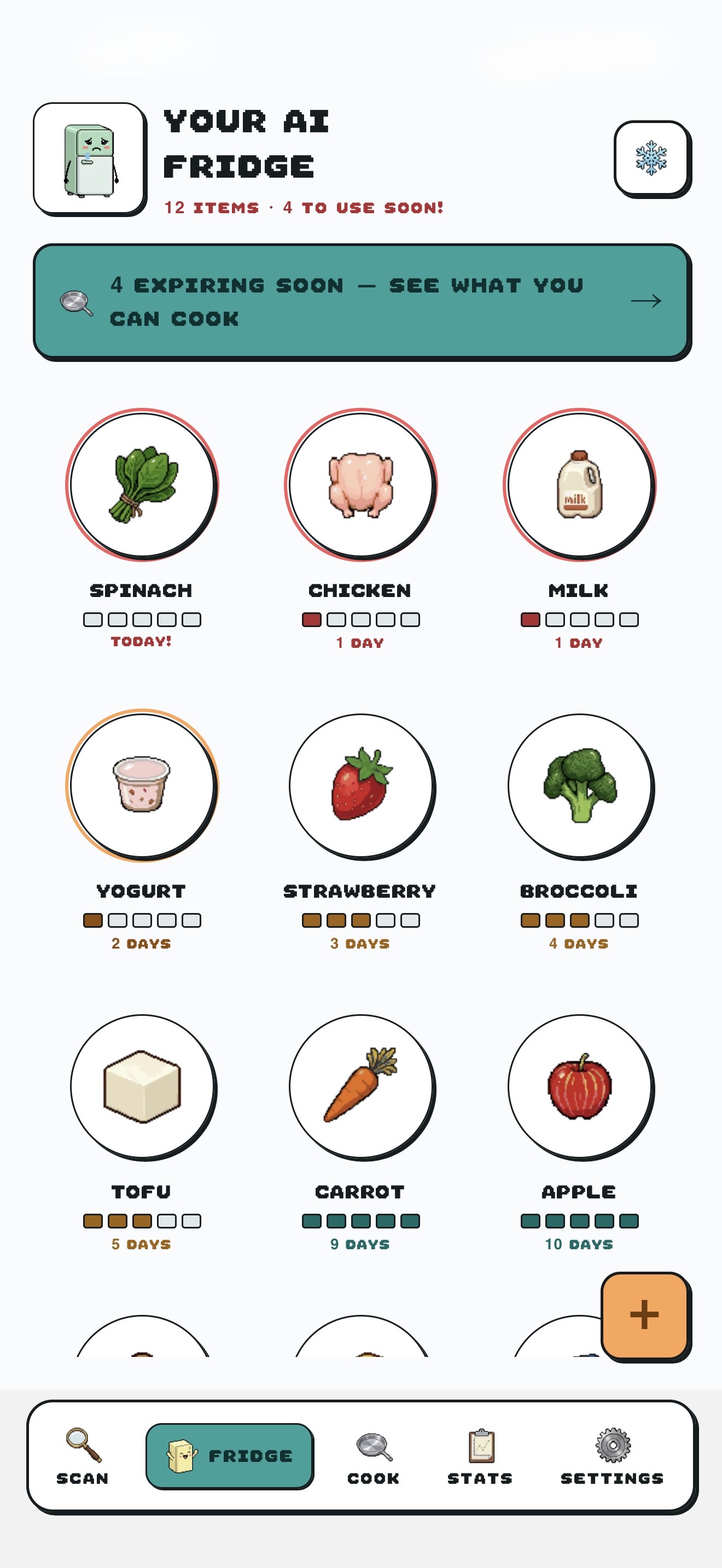
Your fridge view organizes saved items with days-left labels, freshness bars, and urgency rings. The dates are best-quality estimates—not food-safety determinations—and optional reminders can bring soon-to-use foods back to mind.

  • Scan the whole fridge at a glance
  • Spot soon-to-use items quickly
  • Keep reminders gentle and optional
Pixel Fridge inventory screen with food items, estimated days remaining, and urgency indicators
Estimated dates help prioritize attention; they do not determine safety.
03Cook

Turn the soonest items into a plan.

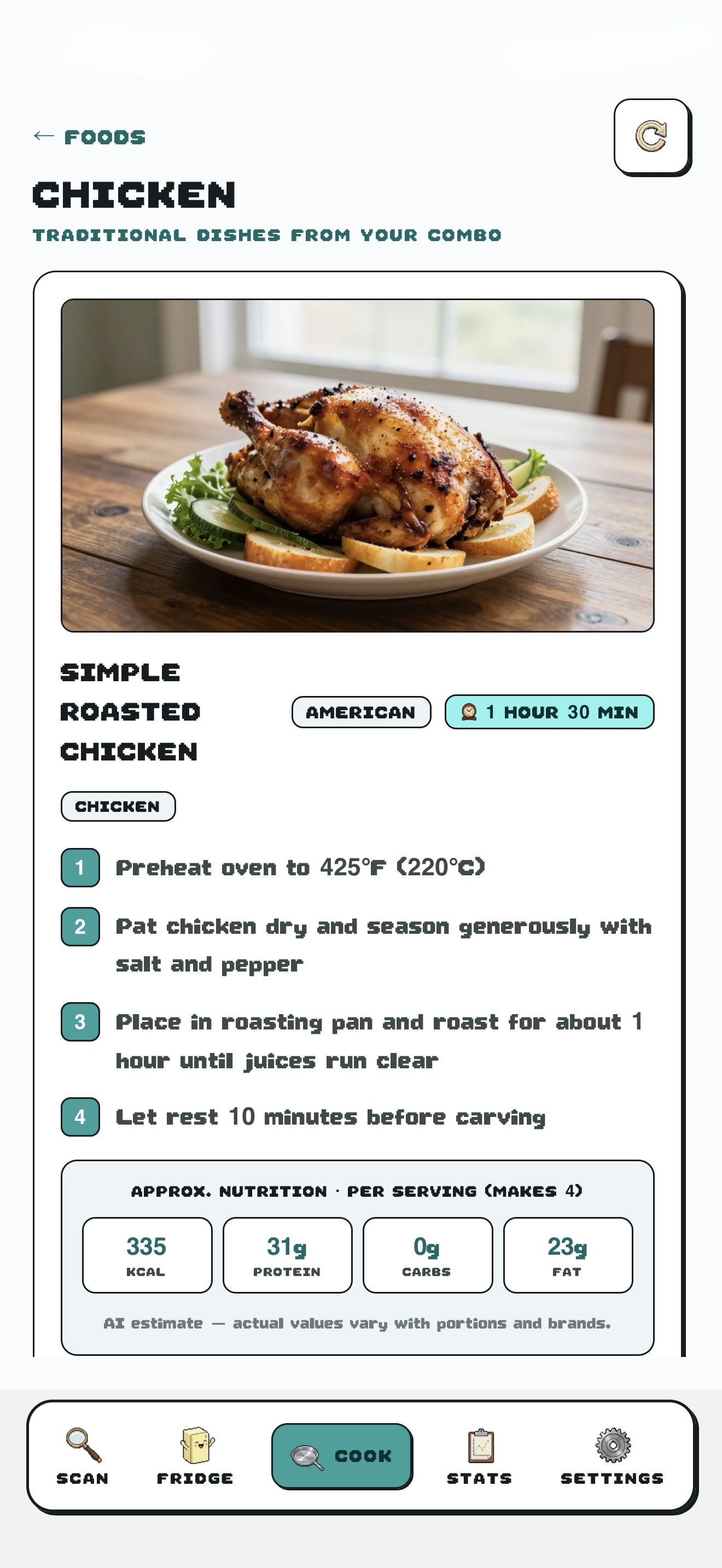
Choose the foods you want to use and request a recipe idea built around them. Recipes, timings, and nutrition figures are AI-generated estimates, so check portions, allergy labels, and safe cooking temperatures before you begin.

  • Start with selected ingredients
  • Get a practical step-by-step idea
  • Regenerate when the first idea is not right
Pixel Fridge recipe screen showing a simple roasted chicken idea with cooking steps and estimated nutrition
Recipe content is AI-generated and should be checked before use.
04Reward

Make the useful habit feel worth repeating.

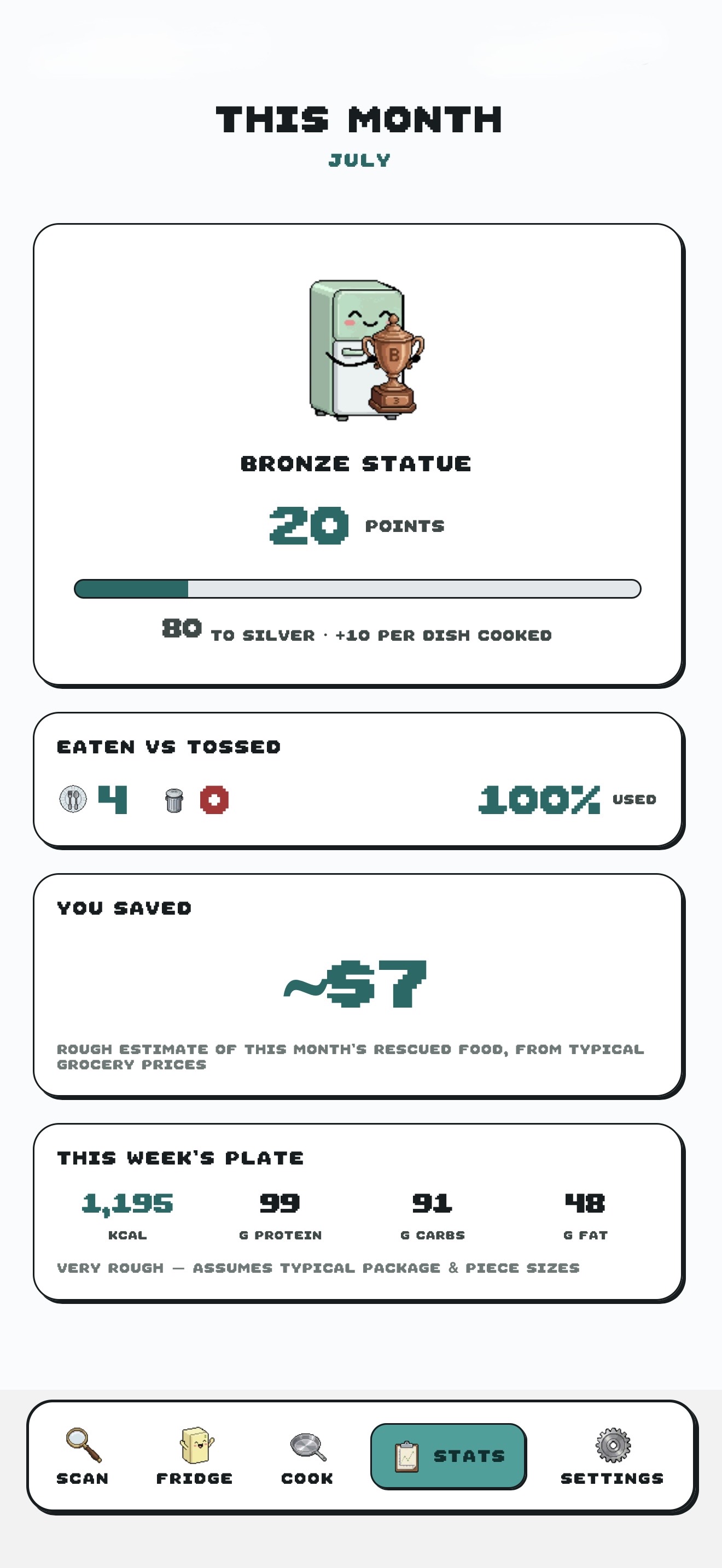
When you mark food as eaten or tossed, Pixel Fridge turns those logged actions into points, progress, and a simple monthly reflection. Stats show only what you actually logged—counts, a use-rate, and points—never dollar-savings or nutrition claims.

  • Celebrate dishes cooked and food used
  • Compare eaten and tossed outcomes
  • See which foods you toss most often
Pixel Fridge monthly reward screen showing bronze status, points, and eaten-versus-tossed outcomes
Points and logged outcomes motivate—no money or nutrition figures, just real progress.

Progress without the guilt

A better next choice is enough.

Mark food as eaten or tossed and Pixel Fridge can summarize those outcomes over time. It is a simple reflection tool—counts and a use-rate, not savings or nutrition tracking.

Helpful, with honest boundaries

The useful part of AI.
The final say stays with you.

Control

Nothing is saved blindly.

Food identification and dates are suggestions. The review screen lets you edit, remove, or add items before they enter your fridge.

Privacy

No ads. No sale of personal data.

Grocery photos pass through our server to the AI provider for identification and are not saved by Pixel Fridge. Read the policy for processors and retention details.

Read the Privacy Policy
Choice

Your account stays yours.

You can request access or deletion and can delete your account from Settings. Subscription cancellation is handled separately by the app store.

Read the Terms of Use

A friendlier fridge is coming

Ready for fewer “I forgot that was in there” moments?

App Store — coming soon

Launch timing and features may change before release.